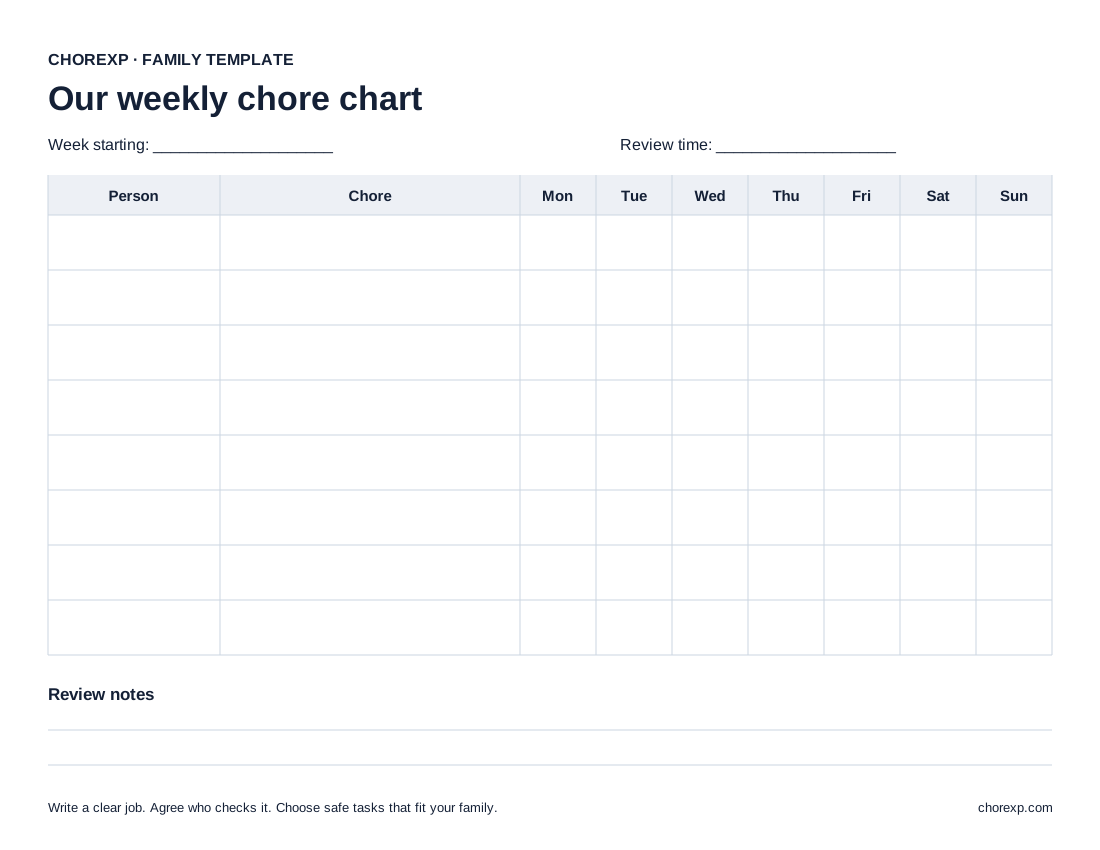
Use the blank weekly chart
The printable has space for the week, family member, chore, seven days, and review notes. Print it without creating an account. A checkmark records completion; the notes area records any review your family needs.
Make each job clear
Replace a broad task such as “help around the house” with a visible action such as “put books on the shelf.” Choose work that the person can safely complete. Explain which parts need help from an adult.
Agree on the result before the task starts. For example, “put the books on the shelf and the toys in the basket” is easier to review than “make the room perfect.”
A small completed example
These are example tasks, not observed household records. Change them for your household’s abilities, schedule, and safety needs.
| Person | Job | When | What the parent checks |
|---|---|---|---|
| Child A | Put books on the shelf | After reading | Books are off the floor |
| Child B | Place napkins on the table | Before dinner | Each place has one napkin |
| Parent | Review completed jobs | At an agreed time | Mark reviewed work and discuss changes |
Avoid adding a large list before the family has used the first few rows. For an illustrative week, Child A marks the books task on Monday, Tuesday, Thursday, and Friday. The parent checks those four completions and writes “four completions reviewed” in the notes. Child B marks the napkin task on Monday and Wednesday; the parent reviews both.
Keep completion and review separate
Decide whether a child checks off a task, an adult checks it, or both. If the task needs a review, make that visible on the chart. An unchecked review should not look like a child has failed to do the work.
Choose a time to review the chart. If a task was unclear, update its wording. If a routine changes, adjust the schedule rather than carrying an impossible list into the next week.
Add rewards only if your family wants them
You can use the chart without points. If you add a reward, agree on the rule before the work begins. Start with something you can reliably provide, such as choosing a shared game. Use the family reward guide to work through an example point budget.
Move the same routine into ChoreXP
ChoreXP lets parents set chores, schedules, proof rules, XP, and rewards. A child can submit proof when required. A linked adult reviews work when approval is required before XP becomes available. Each child keeps a separate board and progress.
Start by adding the jobs that already work on your paper chart. You do not need to reproduce every row at once.
Questions
Does a chore chart need points?
No. A chart can simply show tasks and completion. Points are an optional rule for your family.
Can siblings share one chart?
Yes. Put a name beside each job. If the page becomes hard to read, use one chart per person.
What if a task is not completed?
Review whether the task, timing, and required help were clear. Change the next plan when needed. The template does not set punishments or remove previously earned rewards.
Keep the routine. Add a clear review.
Start with the jobs that work for your family. Set chores, proof rules, XP, and rewards in ChoreXP.